Install RED ROCKET Driver (Mac OS X)
On Mac OS X®, the driver must be installed before upgrading the firmware; otherwise the firmware upgrade fails.
To install the RED ROCKET driver on Mac OS X, follow the instructions below:
-
Ensure that you have already downloaded the RED ROCKET Installer. For more information about how to download the RED ROCKET Installer, go to Download Driver and Firmware.
-
Locate and open the RED_Rocket_Installer_vx.x.x > RED_Rocket_MacOSX folder.
-
Open the REDrocket_Driver_OSX_vx.x.x.x.pkg file.

Figure: Open RED ROCKET Driver File
The Install RED Rocket window opens.
-
Click Continue.

Figure: Click Continue
The license agreement displays.
-
Read the license agreement and click Continue.

Figure: Click Continue
An additional confirmation window opens.
-
Click Agree.
-
Click Install.
NOTE: Depending on your system, you may be required to enter your user name and password to begin installation.

Figure: Click Install
A window opens, notifying you that you must shut down your computer after the software finishes installing.
-
Click Continue Installation.
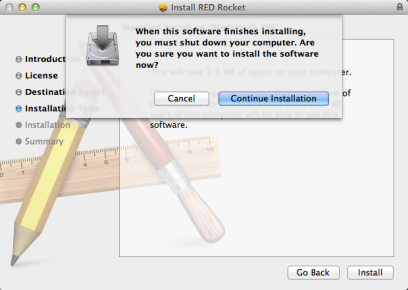
Figure: Click Continue Installation
A progress bar displays during the installation.
The message “Install Succeeded” displays when installation is complete.
-
Click Shut Down to finish installing the software.
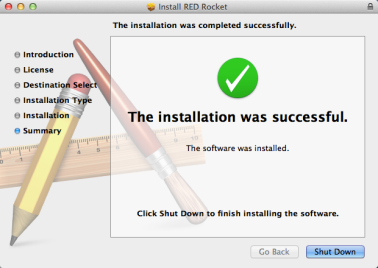
Figure: Click Shut Down
Your computer shuts down.
-
If the RED ROCKET is in a Thunderbolt™ chassis, disconnect power from the Thunderbolt chassis after the computer fully shuts down.
-
Wait a minimum of 60 seconds.
-
If the RED ROCKET is in a Thunderbolt chassis, power up the Thunderbolt chassis.
-
Start the computer.
-
To upgrade RED ROCKET firmware, go to Upgrade RED ROCKET Firmware.