Image Pipeline
To set up the image pipeline, go to Menu > Image > Image Pipeline.
Image Pipeline Mode Options
- Legacy: In Legacy mode, the camera provides the same color options that firmware v6.3 did.
Legacy Mode
To use Legacy mode, follow the instructions below:
- Go to Menu > Image > Image Pipeline > Options.
- Select Legacy from the Mode drop-down menu.
- Select OK.
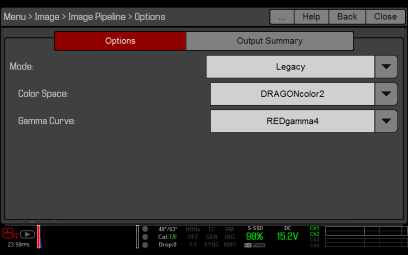
Figure: Legacy Mode
- Select a color space from the Color Space drop-down menu.
- Select a gamma curve from the Gamma Curve drop-down menu.