Back Focus Lock (Lock Sensor)
The camera has a Back Focus lock, which locks the sensor in place to prevent it from moving. Locking the sensor is different from checking back focus.
To lock the sensor, follow the instructions below:
REQUIRED TOOL(S): T10 TORX driver, T8 TORX driver
WARNING: DO NOT adjust back focus when the sensor is locked in place by the Back Focus Lock, since that can damage the Sensor Positioning System. Damage to the camera system caused by adjusting the back focus while the sensor is locked is not covered under warranty.
- Turn off the camera.
- Use a T10 TORX driver to remove the side module (or side panel). For more information, go to Configure Your Camera.
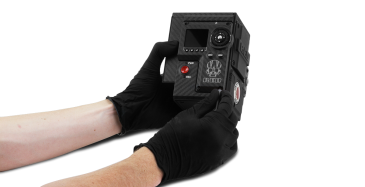
Figure: Remove the Side Module/Panel
- Use a T8 TORX driver to remove the screw from the Store Lock Screw position.
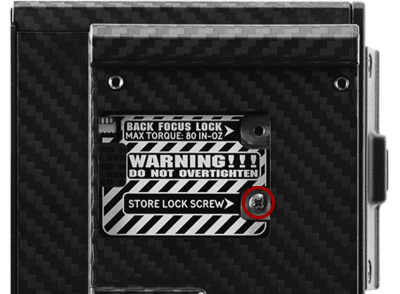
Figure: Remove Screw from Store Lock Screw Position
- Use a T8 TORX driver to install the screw in the Back Focus Lock position. DO NOT exceed 80 in-oz, or damage may occur.
WARNING: DO NOT OVERTIGHTEN.
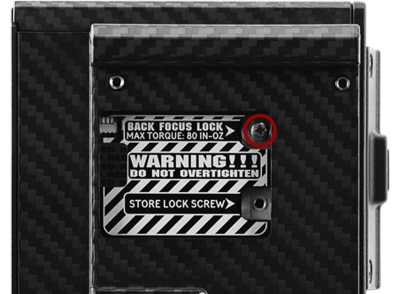
Figure: Back Focus Successfully Locked
- Reinstall the side module (or side panel). For more information, go to Configure Your Camera.
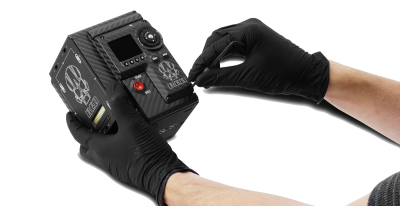
Figure: Reinstall the Side Module/Panel