Lens
To access the Lens menu, go to Menu > Settings > Setup > Lens.
Lens Tab
The options displayed on the Lens tab change based on the attached lens mount.
PL Mount
- Enable Power to Lens: Ensures that the camera powers the lens via the lens mount. This feature is enabled by default, but the camera saves the last selected setting. Deselect when using a Fujinon® T2.9 Cabrio Premier PL lens. If you disable this feature for the Fujinon Cabrio, re-enable it when using other lenses. For more information, go to Fujinon T2.9 Cabrio Premier PL Lenses.
- Auto-Detect PL Lenses: By default, this feature is enabled.
- Detect Lens: Detects a lens, if one is attached.
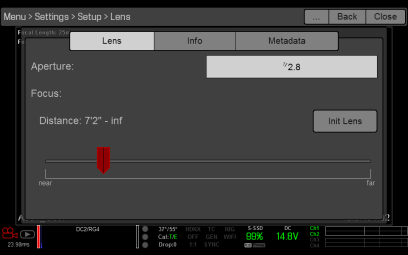
Figure: Lens Menu
Lens Info Tab
The Info tab displays the attached lens mount and lens information.
Lens Metadata Tab
If a supported lens is attached, the camera autopopulates some Lens Metadata fields. You can also manually edit the Lens Metadata fields to describe the attached lens. The information is stored in the clip metadata. The Lens Metadata fields are:
- Lens Name
- Lens Serial Number
- Lens Owner
- Lens Manufacturer
- Lens Min Focal Length
- Lens Max Focal Length
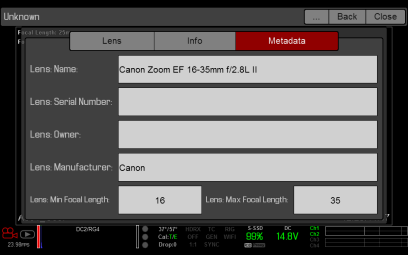
Figure: Metadata