Audio / TC Menu
|
This section includes: |
The Audio / TC menu contains the settings you use to configure your camera audio and Timecode.
From the camera LCD touchscreen menu, select Audio / TC:
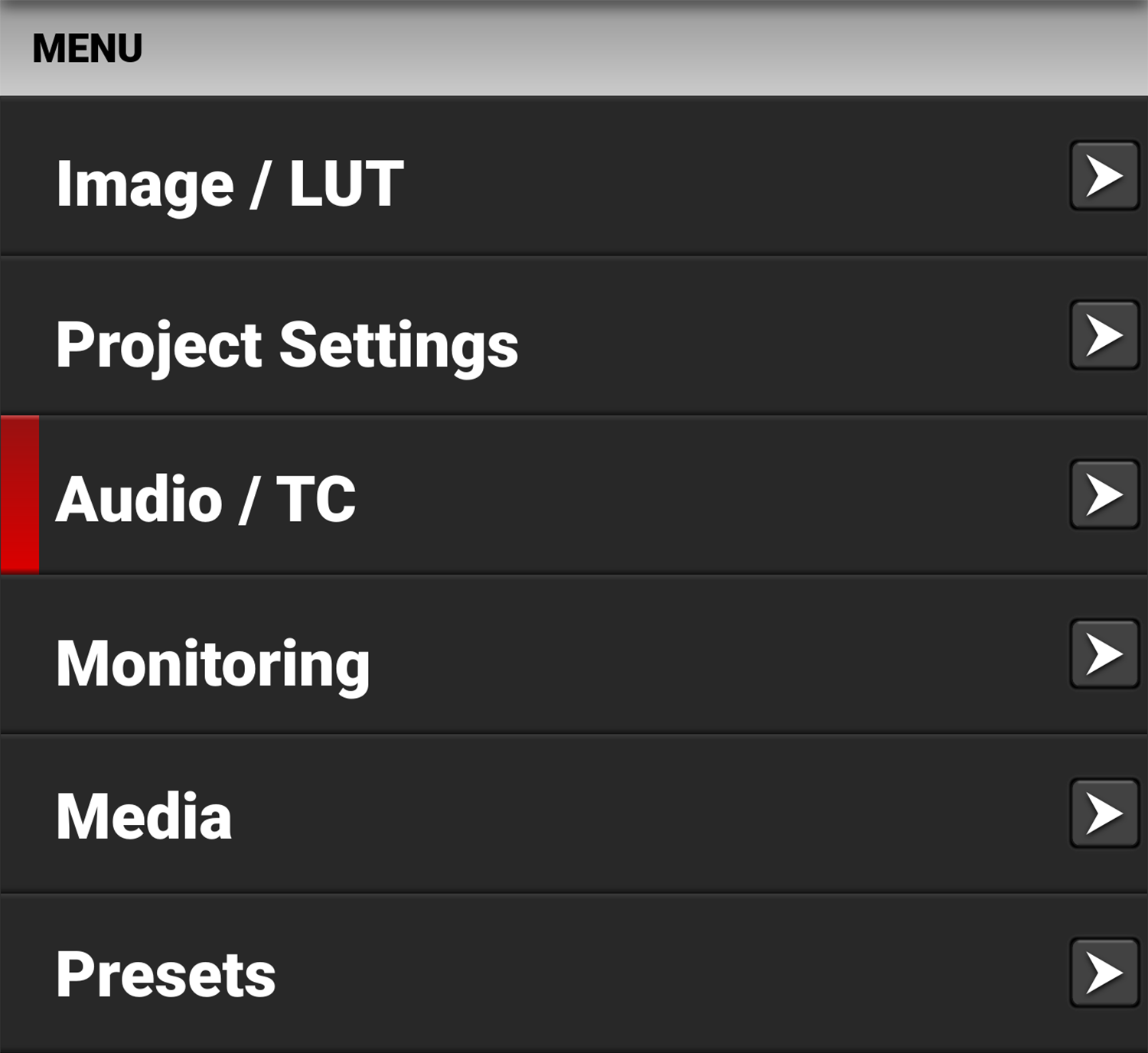
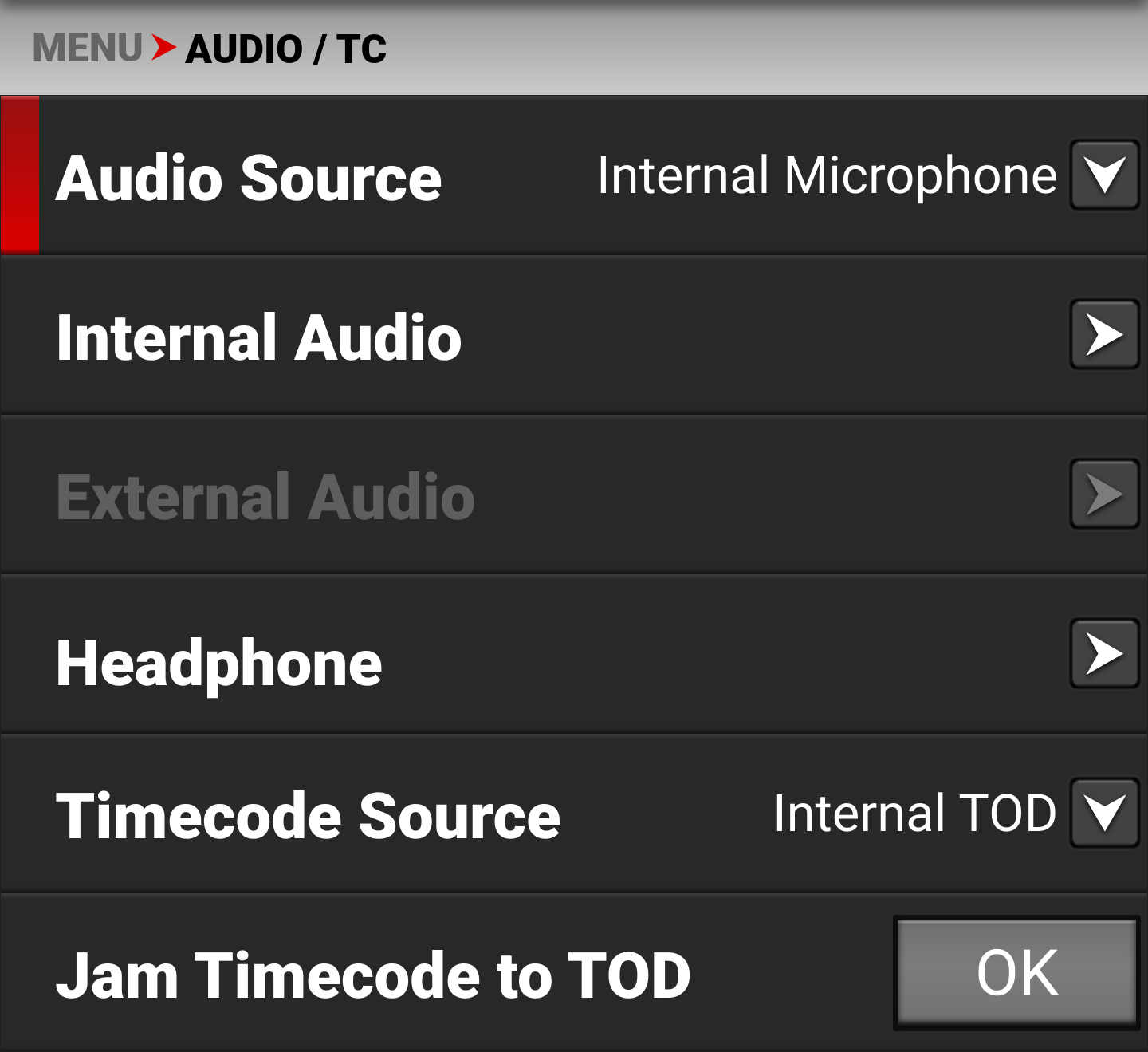
NOTE: The Audio Source, Internal Audio, and External Audio menus are disabled when the Recording Frame Rate and Project Time Code settings are different. This also prevents the camera from recording audio.
Audio Details
The camera is equipped with two integrated microphones suitable for scratch-track audio, and with one 3.5 mm stereo microphone or line input.
The gain for the two channels (external or internal) can be linked. This allows you to adjust both channels together.
Audio from either the internal microphones or the external audio connector (2-channel recording) can be recorded as 24-bit 48 kHz uncompressed audio tracks.
For External audio, both Microphone Level and Line Level is supported with appropriate gain-settings.
Audio data is synchronized with video and timecode, and is embedded in the R3D file. The audio data can be exported from REDCINE-X PRO as separate audio files, if needed.
Audio is also embedded in the SDI output from the camera.
The camera is equipped with a 3.5 mm stereo headphone port for monitoring the audio during recording and playback.
Timecode Details
Timecode provides a mechanism to reference frames from the camera's recorded clips to external devices such as, other cameras or audio recorders. Some devices can also gather additional data such as, lens metadata, or camera orientation, which Timecode can later use for merging the data back together in post-processing.
The camera provides two separate Timecode formats:
- Time Of Day (TOD) - The camera records the time of day as the Timecode for each clip
- Edgecode - The camera records elapsed time as the Timecode for each clip. The time is reset to 01:00:00 when a new media card is inserted in the camera. All of the clips on the media will have a continuous Timecode track. However, each new media card will default to a Timecode track starting at 01:00:00. You can change the Edgecode to begin at any desired time by using the Media Format menu (refer to Edgecode).
The camera synchronizes (jams) the TOD Timecode to an external Timecode generator (when one is connected to the Extension Port) or it jams the Timecode to its internal real-time clock.
The camera stores TOD and Edge Timecode in the R3D file. You can select which one you want to display on the LCD Touchscreen.