Status Bar
The LCD screen displays the camera status bar.

The Status Bar contains the following button and icons:
-
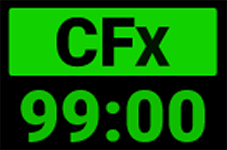 CFexpress Status Icon
 -
 Temperature / Exposure Icon
 -
 Timecode Icon
 -
 Genlock Icon
 -
 SYNC Icon
 -
 Camera Status Icon
 -
 FTPS Activity Icon
 -
 Wi-Fi Icon
 -
 Network Icon
 -
 LCD Lock Icon
 -
 Battery Icon
 -
 DC-In Icon
|
|
||
|
This icon displays the status of the CFexpress media card, and it displays the recording time remaining for the current camera settings. The status displayed includes:
|
|
This icon displays the temperature (T) and exposure (E) calibration indicators. • When T is yellow or red, it indicates that the camera requires sensor re-calibration. • When E is yellow or red, it indicates that the camera requires sensor re-calibration. Refer to Calibrating the Sensor. |
|
|
||
|
This icon indicates the state of the Timecode generator connection.
|
|
This icon indicates the state of the Genlock connection.
|
|
|
||
|
This icon indicates that the Timecode and Genlock signals are synchronized to the camera's frames per second (FPS) settings.
|
|
This icon indicates the state of the camera hardware. The different icons and their corresponding status include:
|
|
|
||
|
This icon indicates the state of FTPS data transfer.
|
|

This icon indicates the state of Wi-Fi connection.
|
|
|
||
|
This icon indicates the state of the network connection.
|
|
This icon indicates the state of the LCD Lock. The states include:
|
|
|
||
|
This icon indicates the state of the battery connection and charge level.
|
|
This icon indicates the state of DC power connection.
|
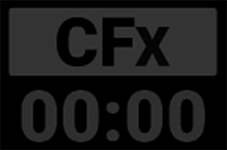 Missing
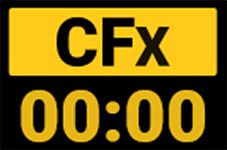 Incompatible
 Red indicates that the Timecode source is connected and not jammed.
 White indicates that the Timecode source is jammed and not connected.
 Yellow indicates that the Timecode source is cross-jammed (at a different
 Green indicates that the camera is receiving and is locked to a Genlock signal.
 Red indicates that the camera is receiving and is not locked to a Genlock signal.
 Green indicates that the camera is synchronized with the Timecode and Genlock signals.
 Yellow indicates that the camera is synchronized with the a single camera or a Genlock signal.
 Good
Good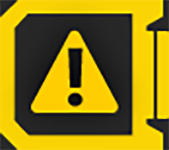 Overheating Warning
 Overheating
  Shutting Down
 Green indicates that the camera is transferring FTPS data.
 White antenna indicates that Wi-Fi signal is broadcasting (Ad-hoc).
 Green indicates that the camera is connected to a network.
 Gray and open indicates that the camera LCD is unlocked.
  White and closed indicates that the camera LCD is locked.
 Yellow indicates 10 minutes of power remaining.
  Red indicates less then 5 minutes of power remaining.
 Gray question mark indicates no communication with the battery and no power.
 White question mark indicates no communication with the battery and power.
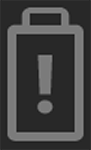 Gray exclamation point indicates error communicating with the battery and no power.
 Gray indicates that no DC power is connected.