RED Monitor Interface Cable
The DSMC3™ RED® Touch 7.0" LCD monitor includes a custom RED Monitor Interface (RMI) cable that provides communication between the RMI and the monitor.
Where this cable attaches to the RMI and the monitor, there are two locking features that keep the cable from accidentally detaching.
The differences between the two systems are in the materials used for the hinge and the locking system.
- Smooth Motion Hinge, black Delrin® 15 mm rod with locking USB-C collar.
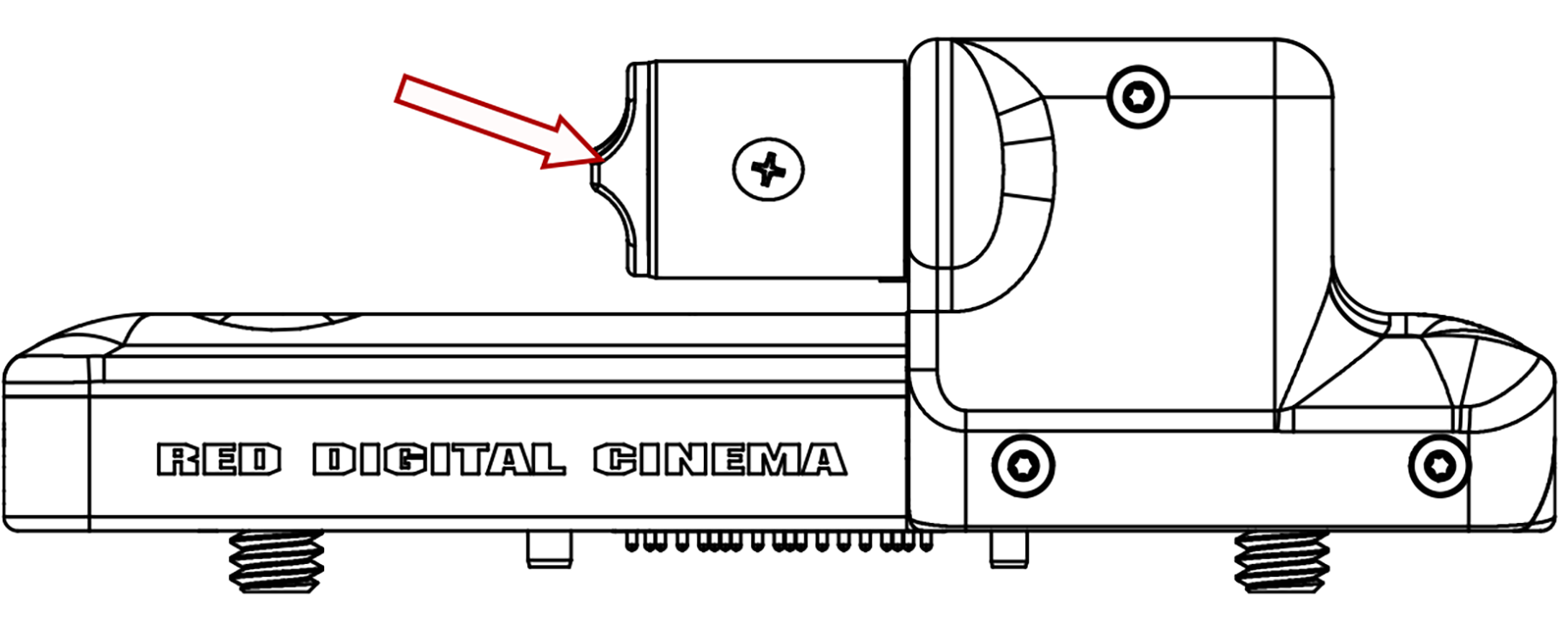
- Rigid Hinge, black aluminum 15 mm rod with no locking USB-C collar.
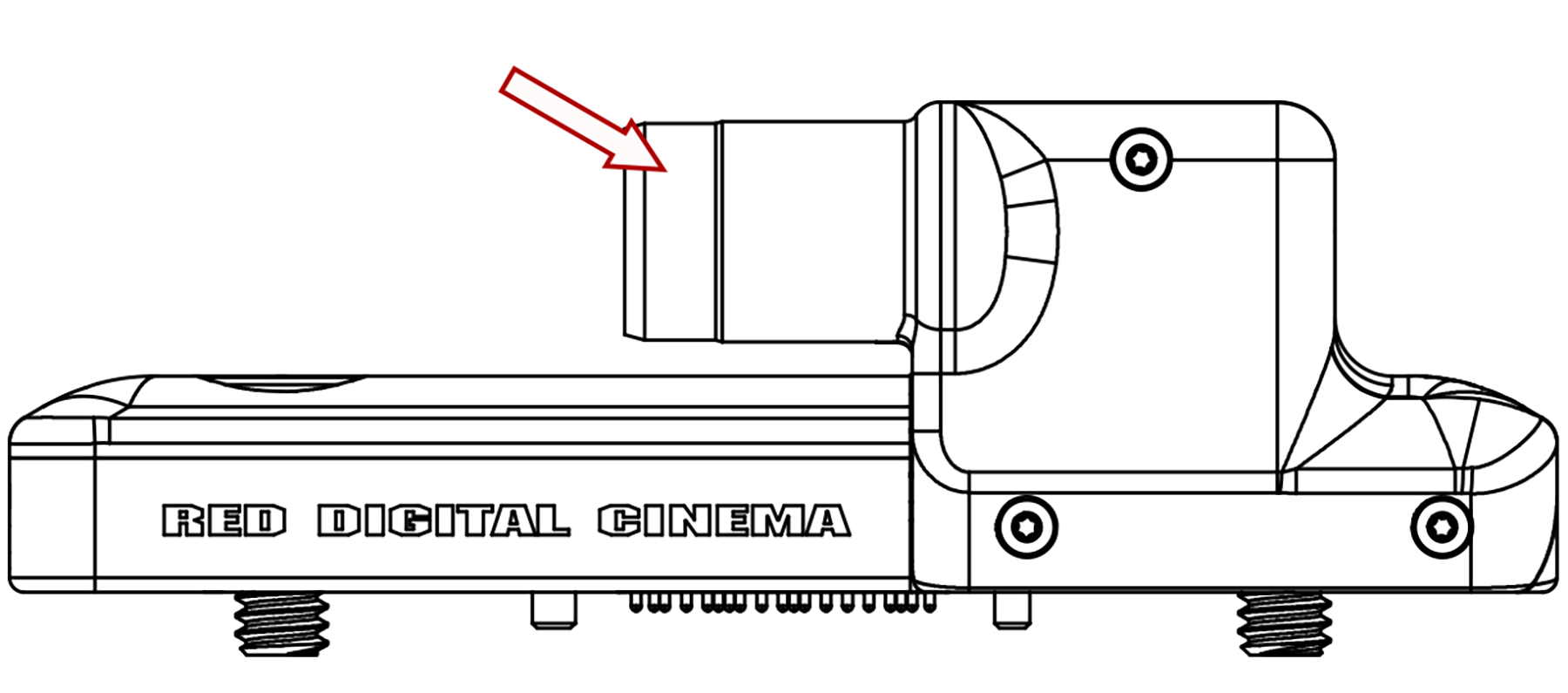
Smooth Motion Hinge
To unlock the cable locks, rotate the RMI cable lock and slide the monitor cable lock, as shown in the image:
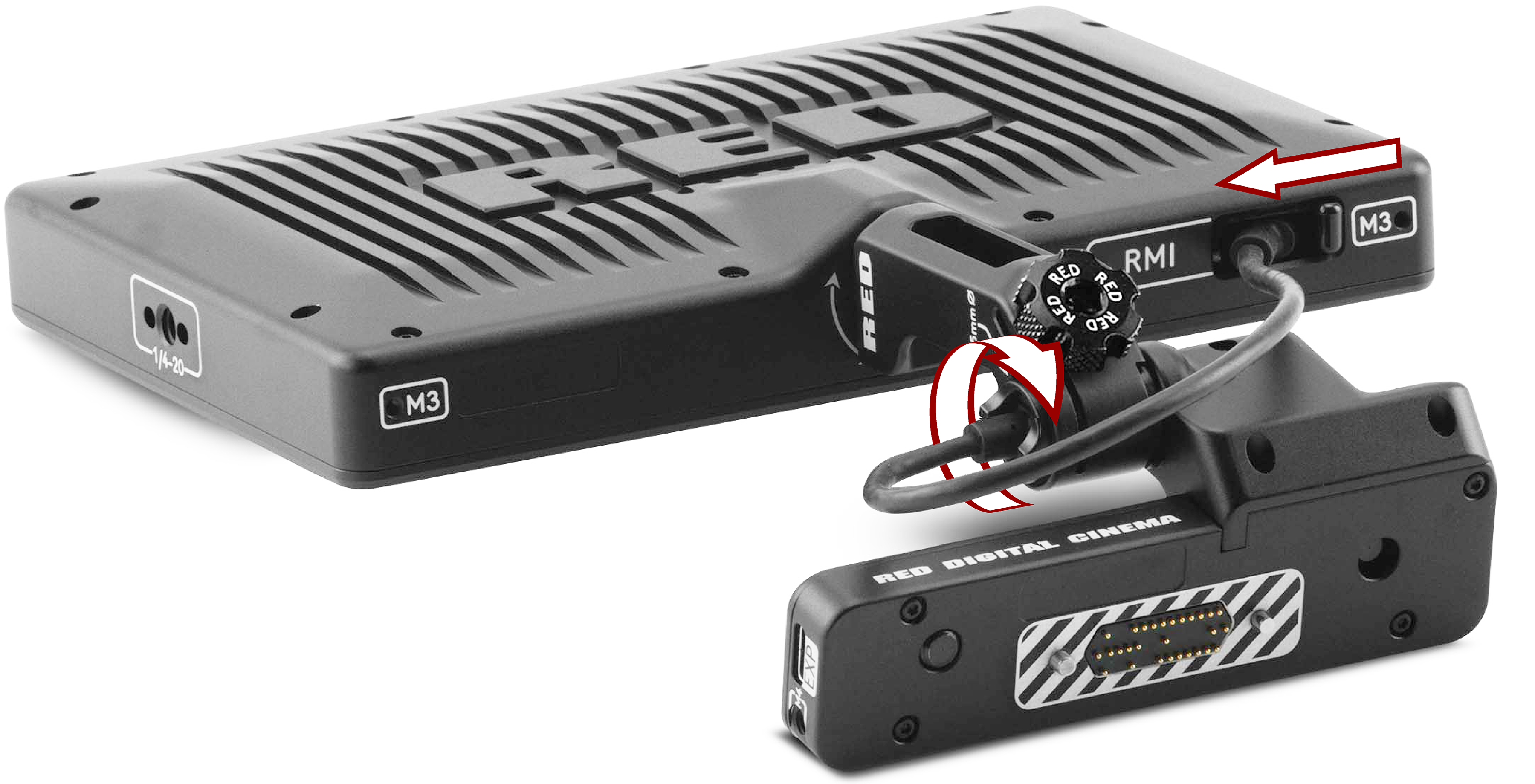
NOTE: The RMI cable is attached to the monitor at an angle, as shown in the image. The USB-C-style DSMC3™ RMI cable is a custom-Pinned cable, which is not compatible with standard USB-C cable ports (including the rear camera USB-C port). The EXP ports on the RMI are for future use and are not currently supported.
Rigid Hinge
To remove the cable, pull on the overmold on the hinge end of the RMI cable. From the other end, slide the monitor cable lock towards the cable and pull on the overmold on the monitor end of the RMI cable, as shown in the image:
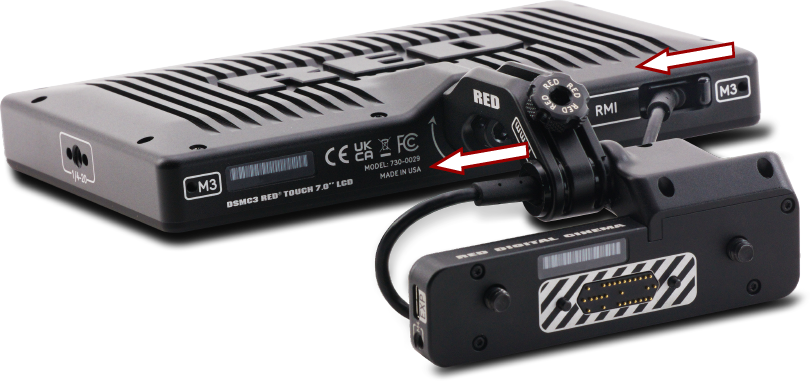
NOTE: The RMI cable is attached to the monitor at an angle, as shown in the image. The USB-C-style DSMC3™ RMI cable is a custom-Pinned cable, which is not compatible with standard USB-C cable ports (including the rear camera USB-C port). The EXP ports on the RMI are for future use and are not currently supported.
Optional RED Monitor Interface (RMI) cables:
- 10" DSMC3™ RMI Cable
- 18" DSMC3™ RMI Cable
- 39" DSMC3™ RMI Cable