RED® Cine-Broadcast 7" Viewfinder
The RED Cine-Broadcast 7" viewfinder allows the operator to see a 1.5G SDI feed from the camera and a return feed.
Setting up the Viewfinder
When the viewfinder is connected by the proprietary viewfinder cable, the monitor can support up to 1.5G SDI video in a 16:9 aspect ratio. Make sure you perform the following:
- Set the camera format to 16:9 (ex. 8K 16:9, 4K 16:9, 2K 16:9). Go to Menu -> Project Settings -> Sensor Format.
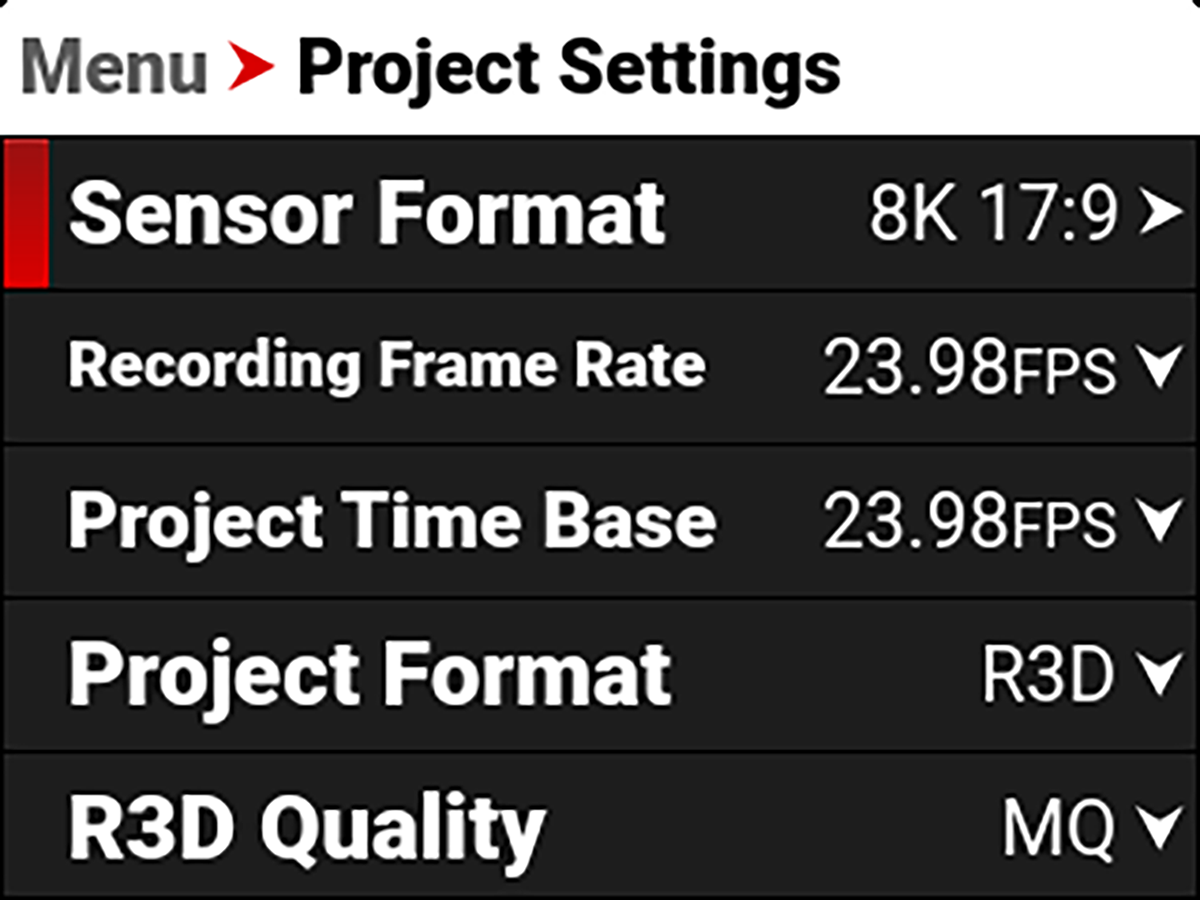
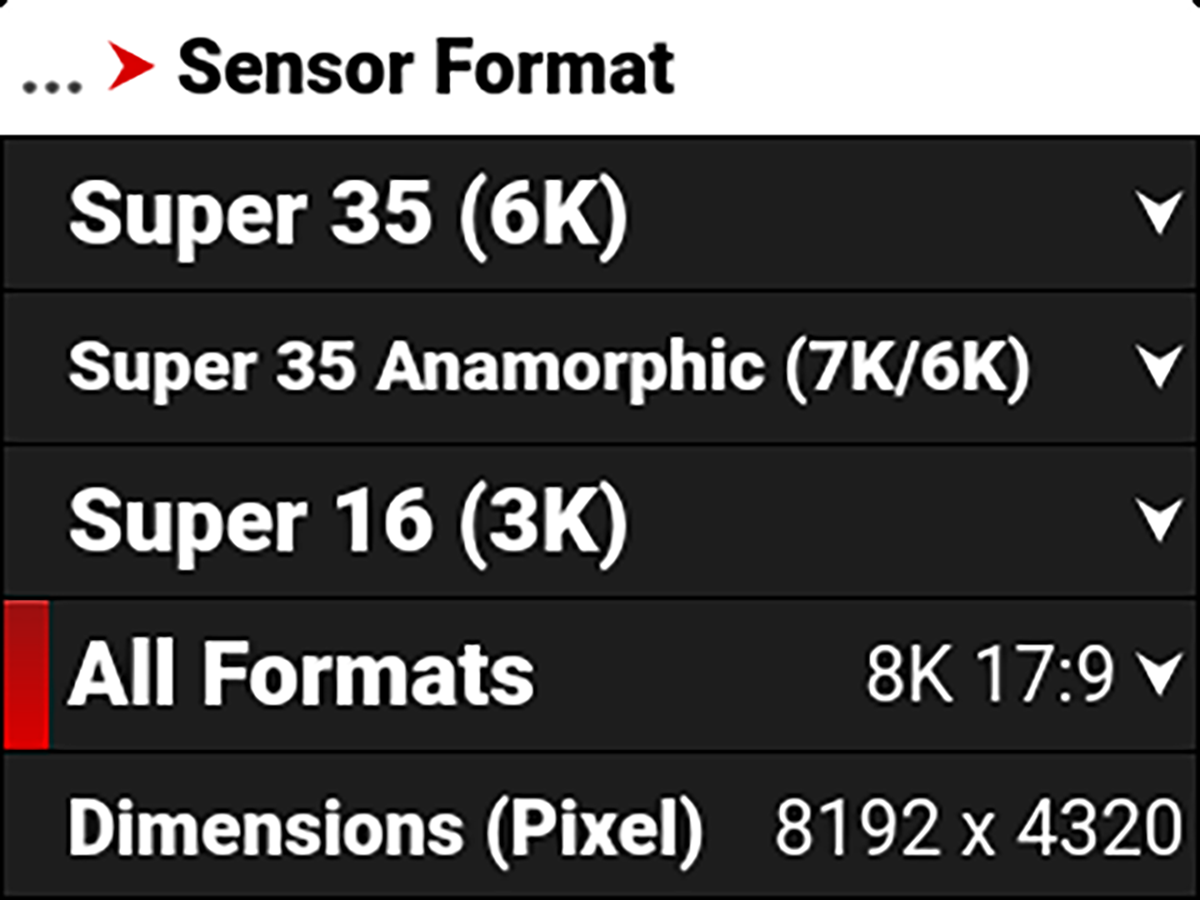
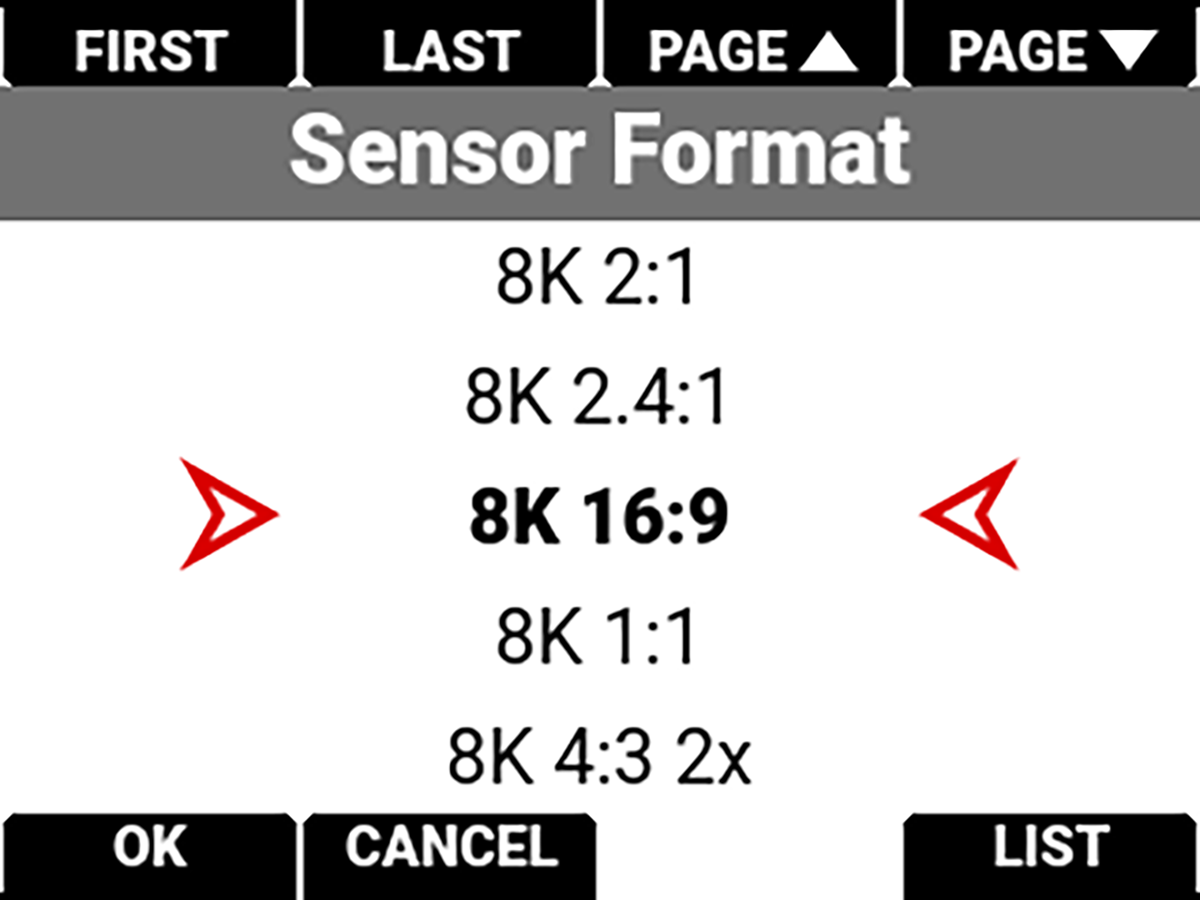
- Connect the desired video output for the Viewfinder into SDI IN 2 on the Cine-Broadcast Module.

- Connect RET SEL IN with one of the RET SEL OUTs by using the supplied BNC cable. This is required even when no return video is sent to the module.
Half Rack:
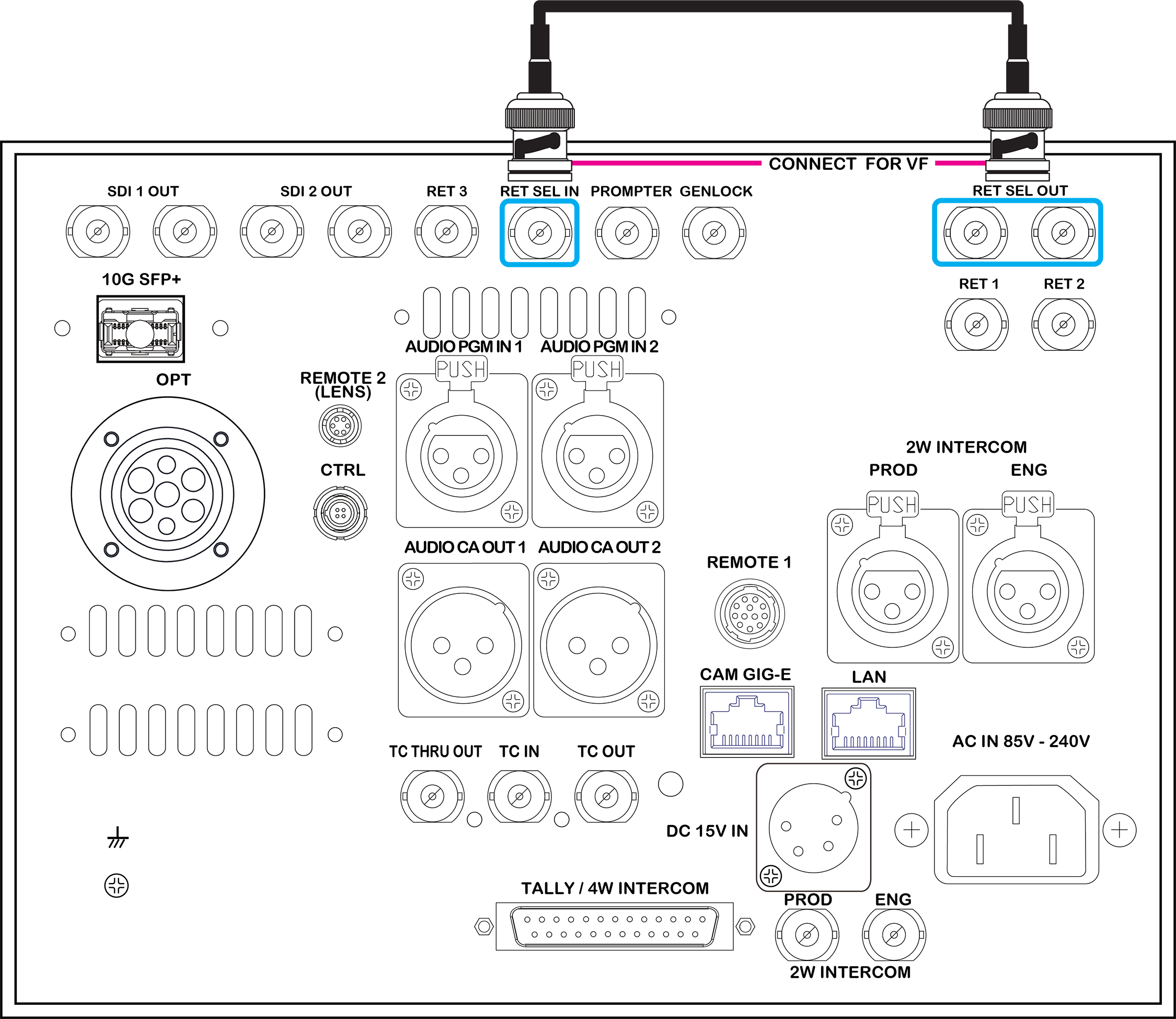
Full Rack:
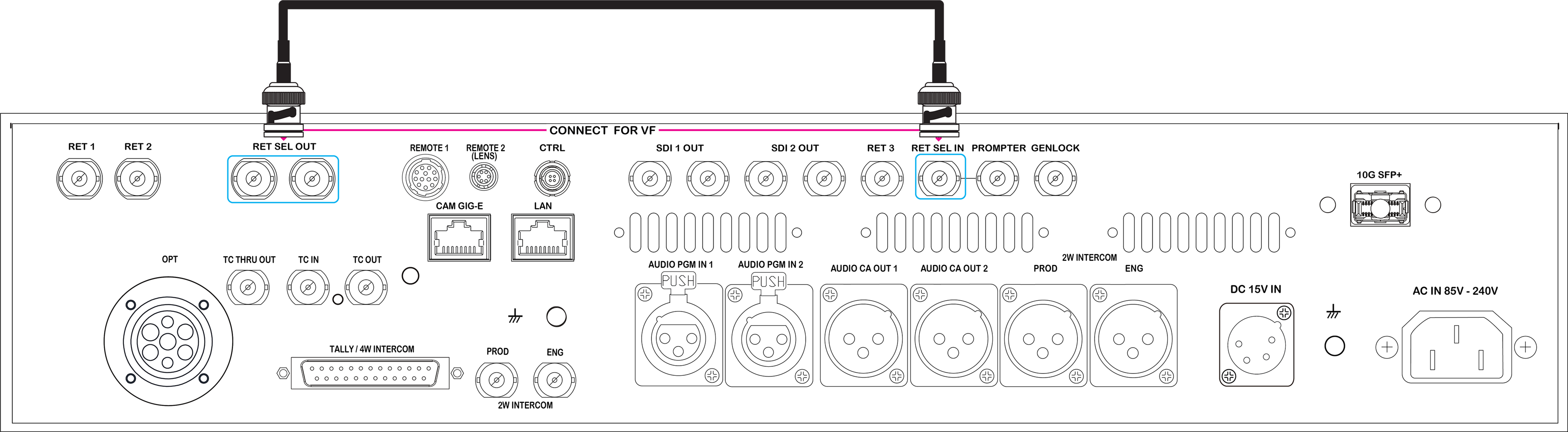
- When RET 1 and RET 2 are both used, ensure that both return videos have the same format (ex. 2x FHD).