Introduction
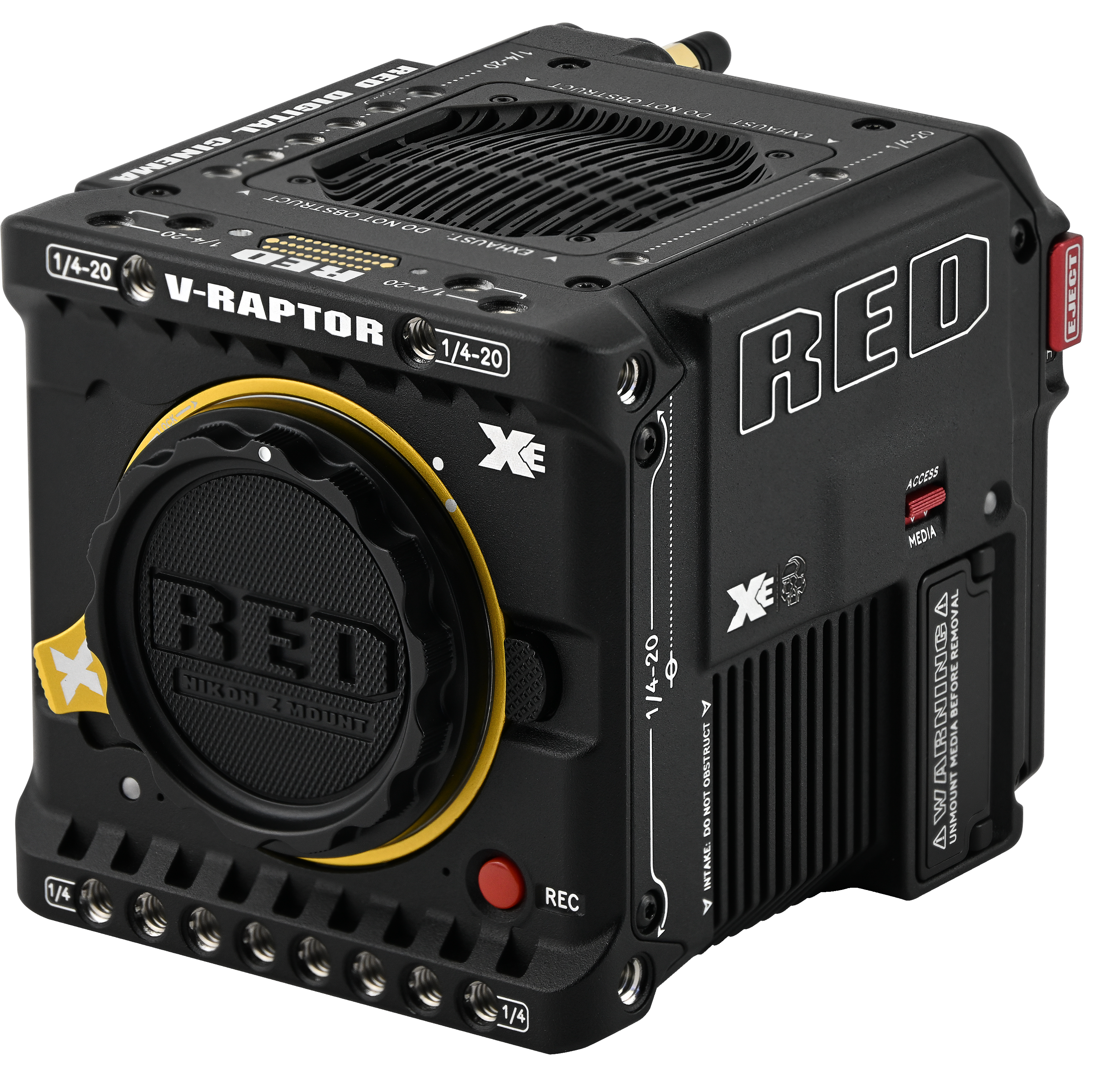
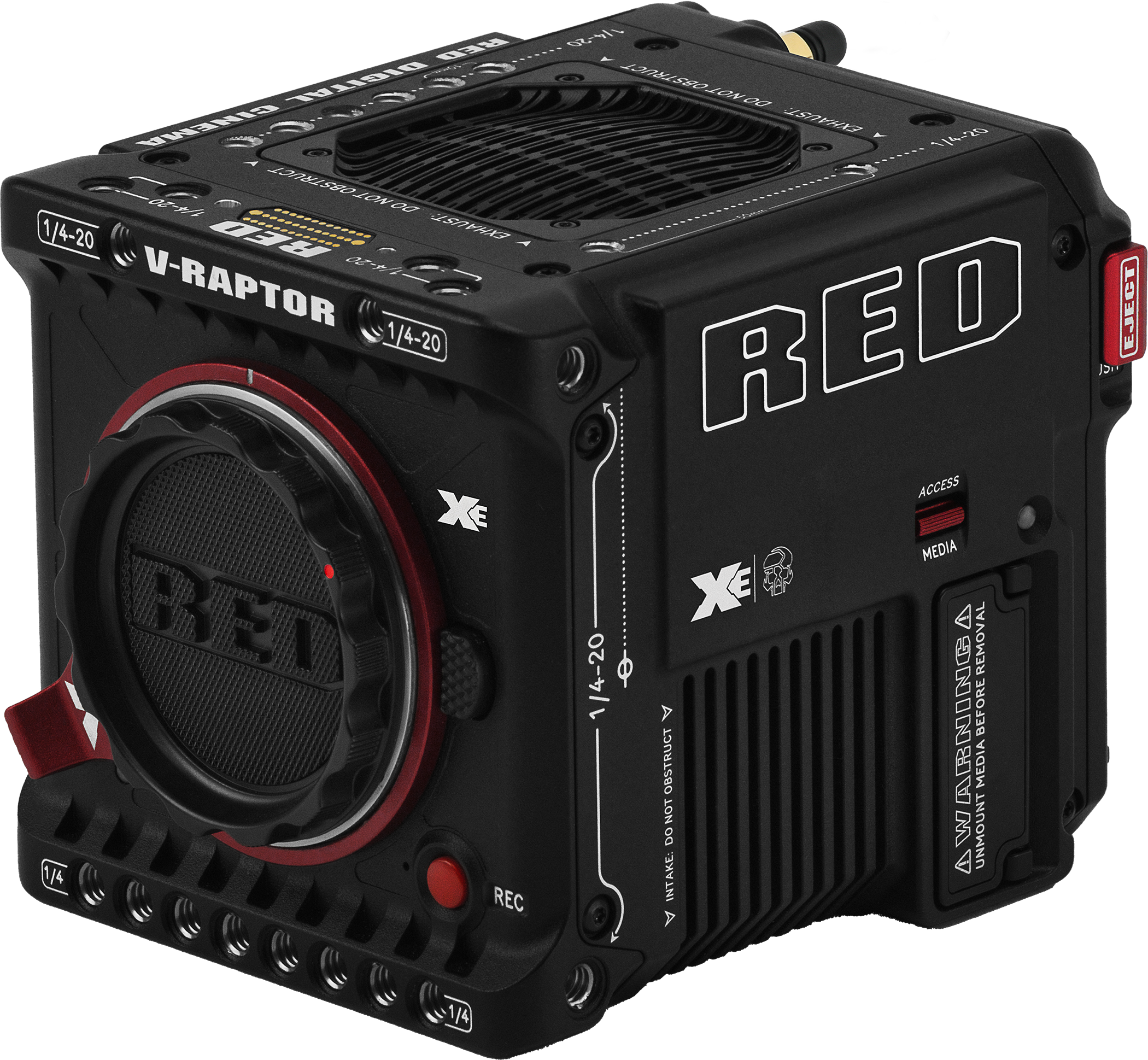
Figure: V-RAPTOR XE Z-mount and RF-mount cameras
V-RAPTOR® XE
ESSENTIALS OF FILMMAKING
V-RAPTOR® XE Z Mount brings the uncompromised image quality of RED’s flagship large format global shutter sensor to a whole new segment of filmmakers. Leveraging the V-RAPTOR [X] platform, V-RAPTOR XE includes the essential features for modern filmmaking, including R3D recording at 8K VV 60P, 4K 120P, and 2K 240P.
V-RAPTOR XE features 2x 12G SDI’s capable of unique monitoring views, a locking Nikon Z mount for secure and flexible lens selection, CFexpress Type B media for up to 800MB/s recording, as well as pre-record and simultaneous proxy record capabilities.
SEE IN VV
V-RAPTOR XE offers the next level in image quality, I/O, and workflow to filmmakers looking to expand on the features of KOMODO-X. The 8K VV sensor has over 50% more pixels and overall size when compared to KOMODO-X’s 6K S35, resulting in more creative control over depth of field, stabilization, and detail capture. Along with a tightly managed thermal system, V-RAPTOR XE offers best in class lowlight performance and post-latitude when paired with the R3D recording format.
NIKON Z MOUNT
The V-RAPTOR XE Z Mount, part of the new Z CINEMA series, comes in a native locking Nikon Z mount, bringing Nikon’s latest optical innovations into the cinema market. Close coordination between Nikon and RED brings Z lenses into the cinema style shooting experience, with advanced features such as smooth iris control, customizable lens response, and adjustable auto focus speeds. In addition, the 16mm shallow flange depth of the Nikon Z mount makes it the most flexible and adaptable modern lens mount available.
IP CONNECTED
V-RAPTOR XE features the same in-camera cloud upload integration with Frame.io or AWS, as well as compatibility with RED Control™ and RED Control Pro™ via wireless or wired configuration for complete remote control in any environment.
Quick Reference
Refer to the Quick Reference section to get familiar with this guide and the camera.
R3D Project Format and REDCODE
The R3D project format was developed by RED to provide an efficient and manageable RAW video data format that promotes advanced post-production editing capabilities. In the R3D project format, the digital image received from the sensor is formatted as a pixel-defect corrected (but in all other aspects unprocessed) 16-bit per pixel RAW data frame. Each RAW frame, or sequence of RAW frames in a clip, is compressed using proprietary REDCODE® RAW compression, then stored to media.
RAW data is recorded independently of any RGB domain color processing such as ISO, White Balance, or other RGB color space settings. Instead, color parameters are saved as reference metadata; that is, color is not burned into the recorded RAW data. This innovative recording technique promotes flexibility in RGB color processing. It allows you to defer color correction to post-production, or to adjust the image color in the field, without changing the recorded RAW data image quality or dynamic range.
REDCODE is a compression codec that reduces R3D RAW files down to a manageable size, allowing the media to record longer. The ability to compress RAW data is one of the significant technological advances that RED has brought to the motion picture industry.
Image Processing Pipeline
This camera uses RED's Image Processing Pipeline 2 (IPP2). In IPP2, the advanced RED color space (REDWideGamutRGB) allows the camera to use every color that the sensor can generate up to the clipping threshold. Then the camera encodes the image using Log3G10, a gamma curve that retains extreme highlight and shadow detail. Using the advanced color space and gamma curve, RED IPP2 allows you to grade and make color adjustments in post-production, instead of in-camera. IPP2 also allows the camera to use a CDL for grading. For more information about IPP2, refer to the RED IPP2 support page.
Shoot For Video and Stills
High resolution video, such as the digital footage captured by the camera, has surpassed the detail necessary to produce professional full-sized prints. Because the camera is able to record RAW video at high frame rates and resolution, this camera is ideally suited to capture video and still images simultaneously while still preserving the full flexibility that RAW still photographers have come to expect.
Post-Production
Many non-linear editing systems (NLEs) can open and edit RED footage, allowing full RAW control and flexibility without any need to re-transcode. Each NLE version may have specific compatibility requirements, such as camera firmware version or camera type. Before shooting, make sure you check all of the compatibility requirements.
You can open and/or edit R3D files by using one of the following products:
- REDCINE-X PRO: RED's proprietary application. Download REDCINE-X PRO for Windows or REDCINE-X PRO for Mac.
- Adobe Premiere Pro
- Avid Media Composer
- DaVinci Resolve
- Final Cut Pro X: Requires you to download the RED Apple Workflow Installer.
- Foundry Nuke
- Assimilate Scratch
- AutoDesk Flame
- ColorFront Transkoder (beta for latest support)
- Pomfort Silverstack
NOTE: Third-party applications may have limited compatibility with R3D files. Third-party developers must use the most recent R3D SDK to offer compatibility with the latest RED firmware.
Post-Production with REDCINE-X PRO
REDCINE-X PRO is a professional one-light coloring tool set, equipped with an integrated time line, and with a collection of post effects software. REDCINE-X PRO provides the ideal environment to review recorded footage, edit metadata, organize projects, and prepare your R3D files. You can use REDCINE-X PRO or any of the compatible third-party NLEs to edit R3D files.
Additional Resources
- RED.com: Visit the official RED website for the latest information about RED products.
- RED Downloads: Go to RED Downloads to download the latest firmware, operation guides, and post-production software.
- RED 101 Articles: RED offers in-depth technical articles about RED cameras, post-production, and digital cinematography.
- RED TECH Videos: RED offers videos about understanding and using RED cameras.
- RED Support: Visit the RED SUPPORT site for support articles or to file a support ticket.